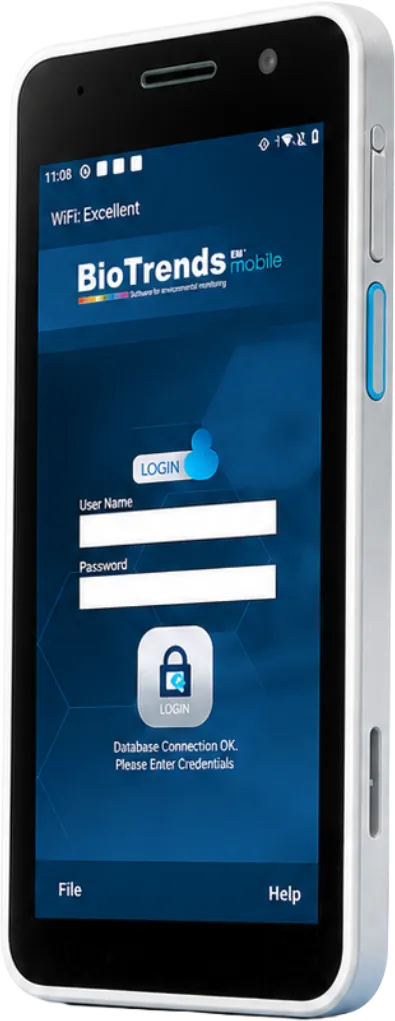
BioTrends EM® guides operators through sampling activities on the PDA. Barcode and DataMatrix scanning connect samples with their monitoring points, culture media and activity records, reducing manual transcription.
Each session comes from an approved and effective Sampling Plan, with its monitoring points, methods and acceptance limits already defined. BioSampler users can access only the plans for which they are authorized. Operators sign in with their credentials or a supported NFC tag or bracelet on selected Android PDAs, including rugged healthcare and ATEX-rated models.
02 —DATA CAPTURE
Scan, link and trace data at the source.
Barcode and DataMatrix scanning identify the items required by each activity, including sampling points, plates, culture media, devices, containers and monitored personnel. These links build the sampling record as the work is performed, reducing manual entry and transcription errors.
Scannable in the field
01Sampling pointlinks class, limits and method
02RoomIdentifies the sampling location
03PlateAssigns the sample identifier
04Culture medialinks batch and expiry date
05DeviceRecords the sampling device used
06ContainerGroups plates for transfer
07PersonnelIdentifies the person monitored
08Interventionlinks the monitored activity
09PlanOpens the authorized sampling activity
03 — MOBILE SAMPLING
Environmental, personnel and water sampling.
Three dedicated workflows support different sampling activities while preserving the connection between samples, operators and results.
Environmental
Record settle plate, surface and active air sampling against defined monitoring points. Link culture media and, where applicable, the sampling device used.
Personnel
Record monitoring of gloves and gowns. Link personnel sampling to interventions where required, with support for up to ten operators per intervention according to the configuration.
Water
Record water sampling and subsequent filtration. Configure filter identification as optional, mandatory or not required to match the local procedure.
End of exposure
04 — EXPOSURE CONTROL
Track settle plate exposure times.
Record when a settle plate is placed and when its exposure ends. In online mode, configurable alerts on the PDA and Core system notify operators before the planned exposure time ends. Recording plate collection completes the exposure history and resets the alarm.
05 — FIELD TOOLS
Tools for routine and additional sampling activities.
Manage transfer containers, record interventions, check media status and document additional samples directly from the PDA.
Containers
Group plates for transfer and incubation.
Collect plates in a transfer container and close it when ready for transfer. A closed container can be scanned to process its plates together during incubation. Containers can also be reopened or their contents separated when required.
Interventions
Record interventions and associated personnel monitoring.
Use a start-and-stop timer to record intervention duration and generate the associated personnel monitoring sessions. Depending on the configuration, an intervention can include up to ten operators. Recorded durations support analysis by intervention type, operator and production batch.
Media checks & replacement
Check status. Record replacements.
Scan a plate or transfer container to view its status. During sampling, BioTrends checks media expiry and previous use, preventing expired or already-used media from being assigned. In online mode, media can be replaced before incubation starts, with the replacement recorded in the audit trail.Extra sampling
Extra sampling
Document samples beyond the scheduled work.
When working online, operators can record additional samples from monitoring points that were not scheduled. Extra sampling records are retained in a dedicated register and become available for trending after the required signed approval.
06 — CONNECTIVITY
Work online or continue supported activities offline.
Choose the operating mode according to network availability. Online mode provides access to server-dependent functions; offline mode uses data prepared on the device and requires synchronization when connectivity is restored.
Recorded activities are synchronized regularly with the central database.
Authorized users can check media and containers, verify results, replace media and record extra samples.
Individual sessions or Plan Group sessions can be created directly from the PDA with an electronic signature.
Other connected devices receive updated activity status through synchronization.
Prepare the required data on the PDA while connected, then continue supported activities without Wi-Fi.
Reconnect and initiate synchronization to transfer recorded activities to the central database.
Until synchronization, other devices do not receive the updated sampling status. Avoid simultaneous work on the same points or plates across offline PDAs.
Server-dependent functions and exposure alarms are unavailable in offline mode.