Microbiological environmental monitoring · GMP

Environmental Monitoring.

from plan to trend.

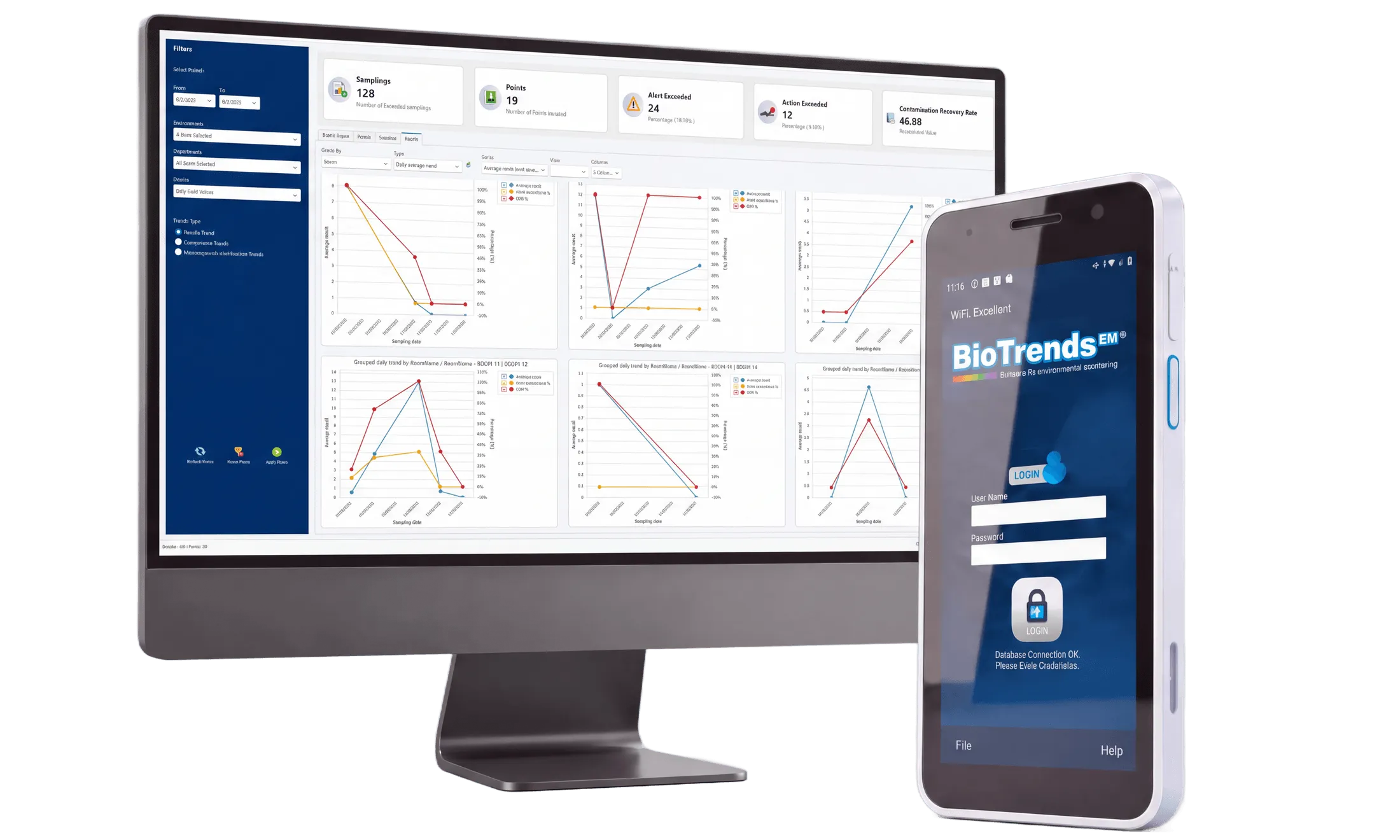
The BioTrends EM Core dashboard on a desktop monitor, next to BioTrends EM Mobile on a PDA

What BioTrends EM is

Environmental Monitoring for regulated GMP environments.

BioTrends EM® manages the full microbiological environmental monitoring program of a regulated GMP site, from sampling plan to trend analysis. It guides operators on rugged Android PDAs during field activities, follows samples through incubation and reading, and keeps results, electronic signatures, reports and trends in one traceable, paperless record.

Developed and owned by Archilex SA in Switzerland, BioTrends EM® supports pharmaceutical operations and other regulated GMP environments.

Desktop

BioTrends EM Core

is the control center for microbiological Environmental Monitoring. It brings together sites, cleanrooms, sampling points, limits, sampling plans, schedules, electronic signatures, audit trail, reports and trend analysis, so the full program can be managed and reviewed in one traceable system.

Android PDA

BioTrends EM Mobile

supports operators directly in the cleanroom, guiding sampling, incubation and plate reading on a handheld device. Each plate is identified by barcode or Data Matrix scan, with work performed online or offline and synchronised automatically when the connection is restored.

What it monitors

  • Air
  • Surfaces
  • Water
  • Compressed gases
  • Personnel
  • Raw materials
  • Finished products

The Workflow

01

Planning

Define the work before it begins.
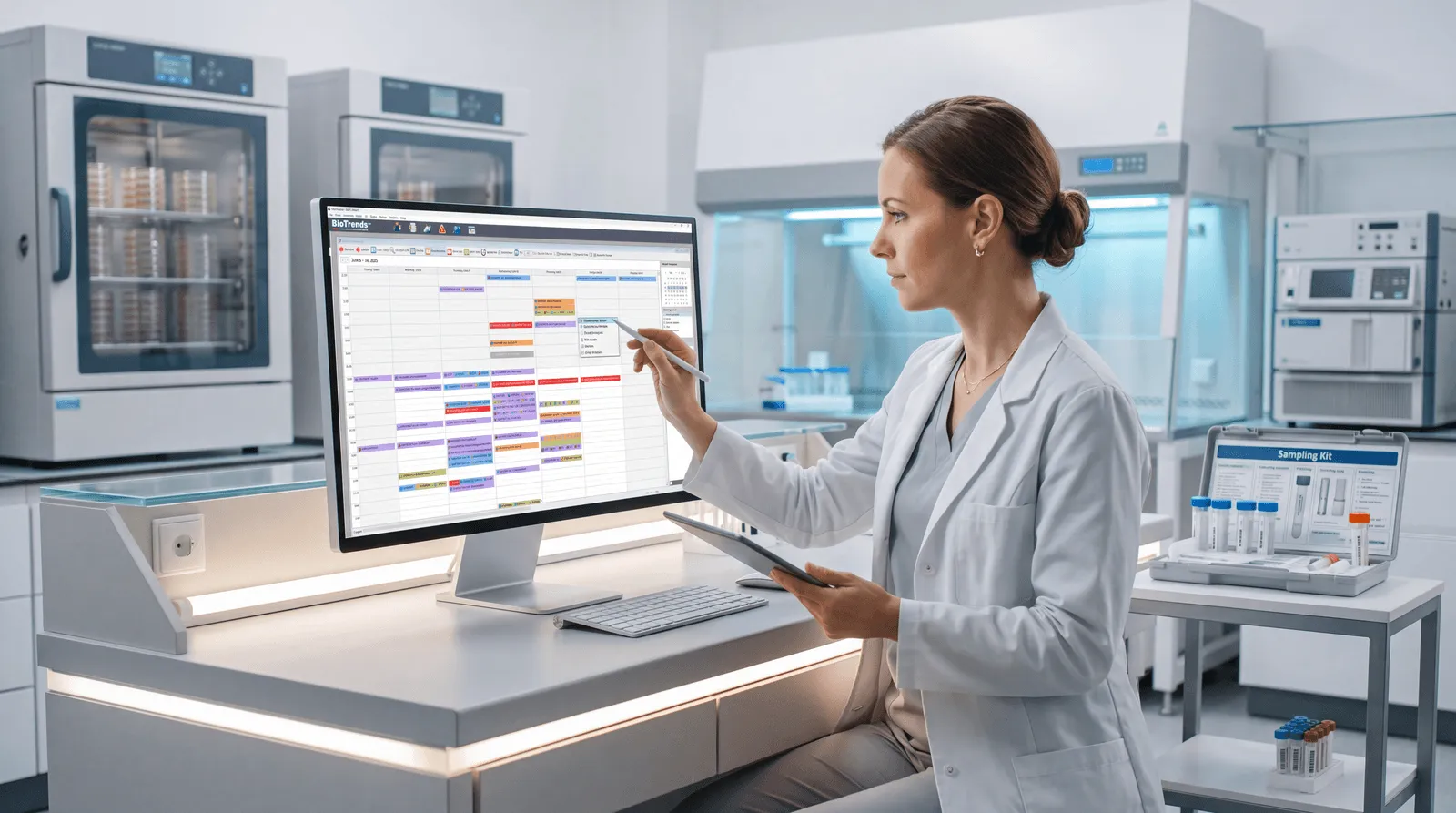
WEEK PLAN · 128 POINTS

Build sampling plans around your site, monitoring points, methods and acceptance limits. Manage revisions with automatic version numbering, approval by a different user and defined effective dates. Schedule individual activities, recurring sessions or groups of plans.

A microbiologist reviewing the week of sampling sessions in the BioTrends EM Scheduler
02

Sampling

Capture data where the work happens.
AIR SURF PERS

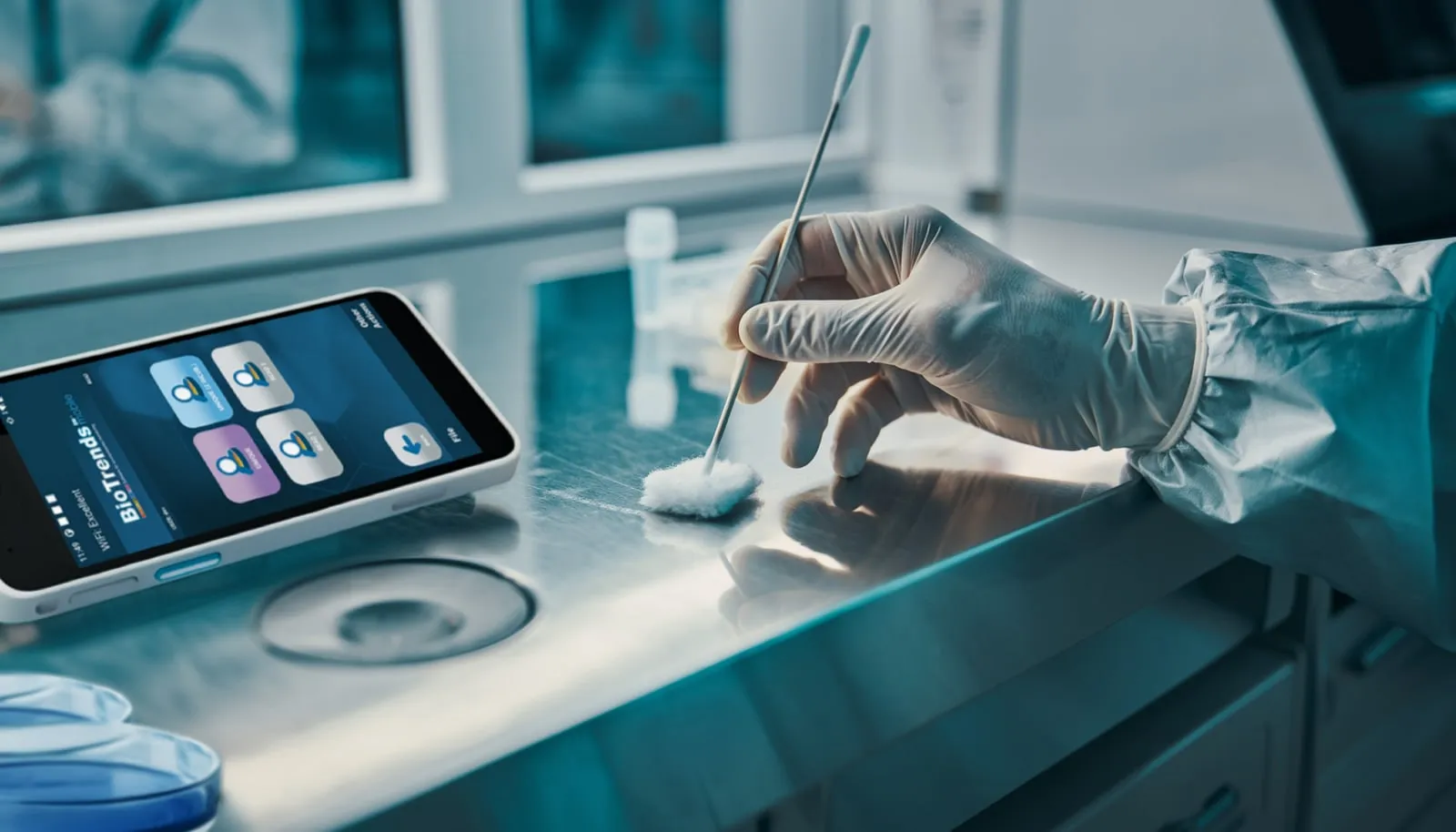
Guide operators through sampling activities on Android handheld devices. Use barcode and DataMatrix scanning to identify points and culture media, capture traceable sampling records and reduce manual transcription. Continue supported activities offline, then reconnect and initiate synchronization.

A gloved hand taking a surface sample, next to a rugged PDA running BioTrends EM Mobile
03

Incubation

Keep every plate connected to its incubation history.
32.5 °C 48 H

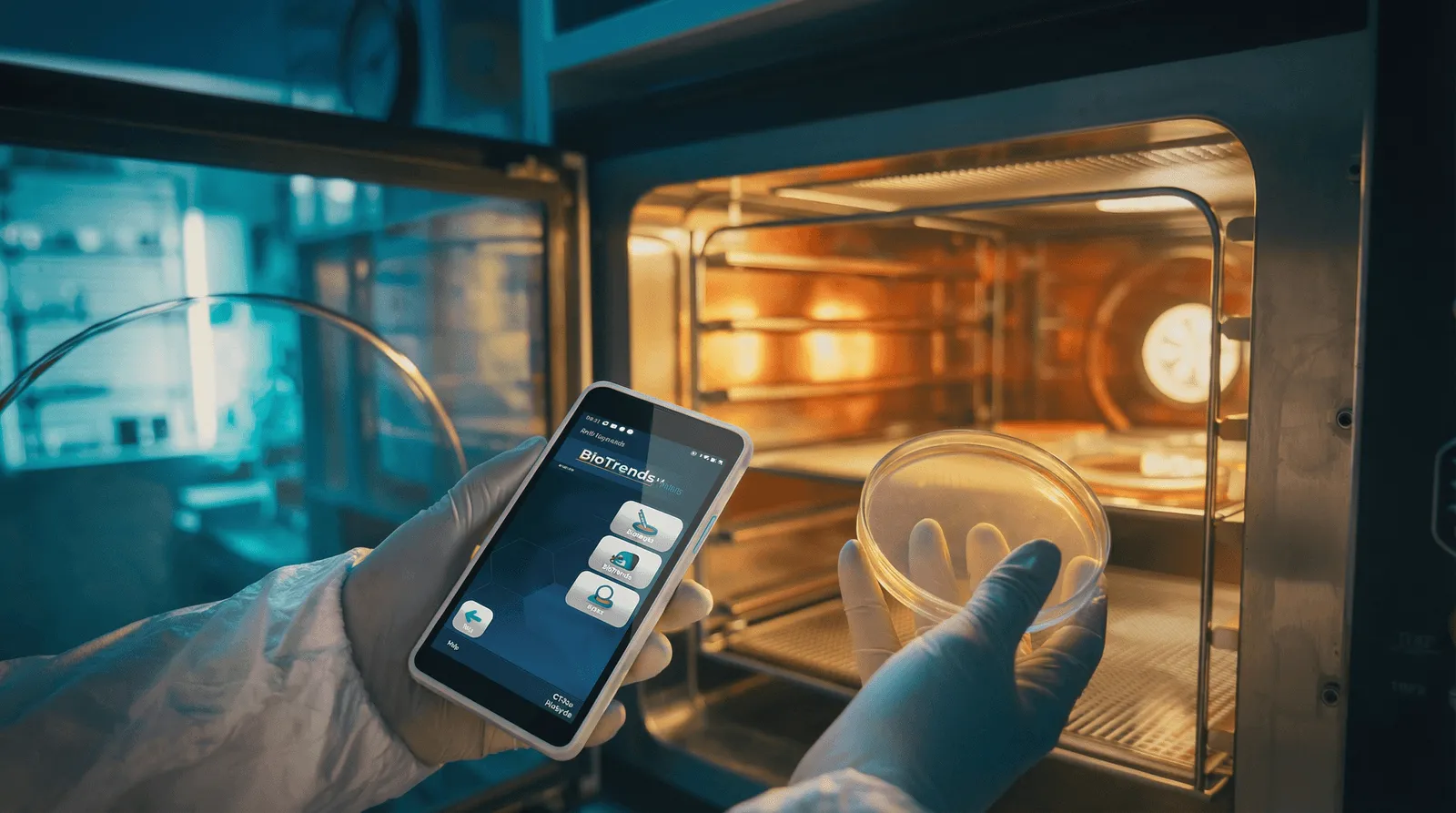
Record the incubator, selected temperature and duration, operator and start time. Manage single-stage or two-stage incubation, with individual plates or closed transfer containers.

An operator holding a plate at an open incubator, the BioTrends EM Mobile menu on the PDA in the other hand
04

Reading & Identification

Put every result in context.
0 CFU LIMIT 50

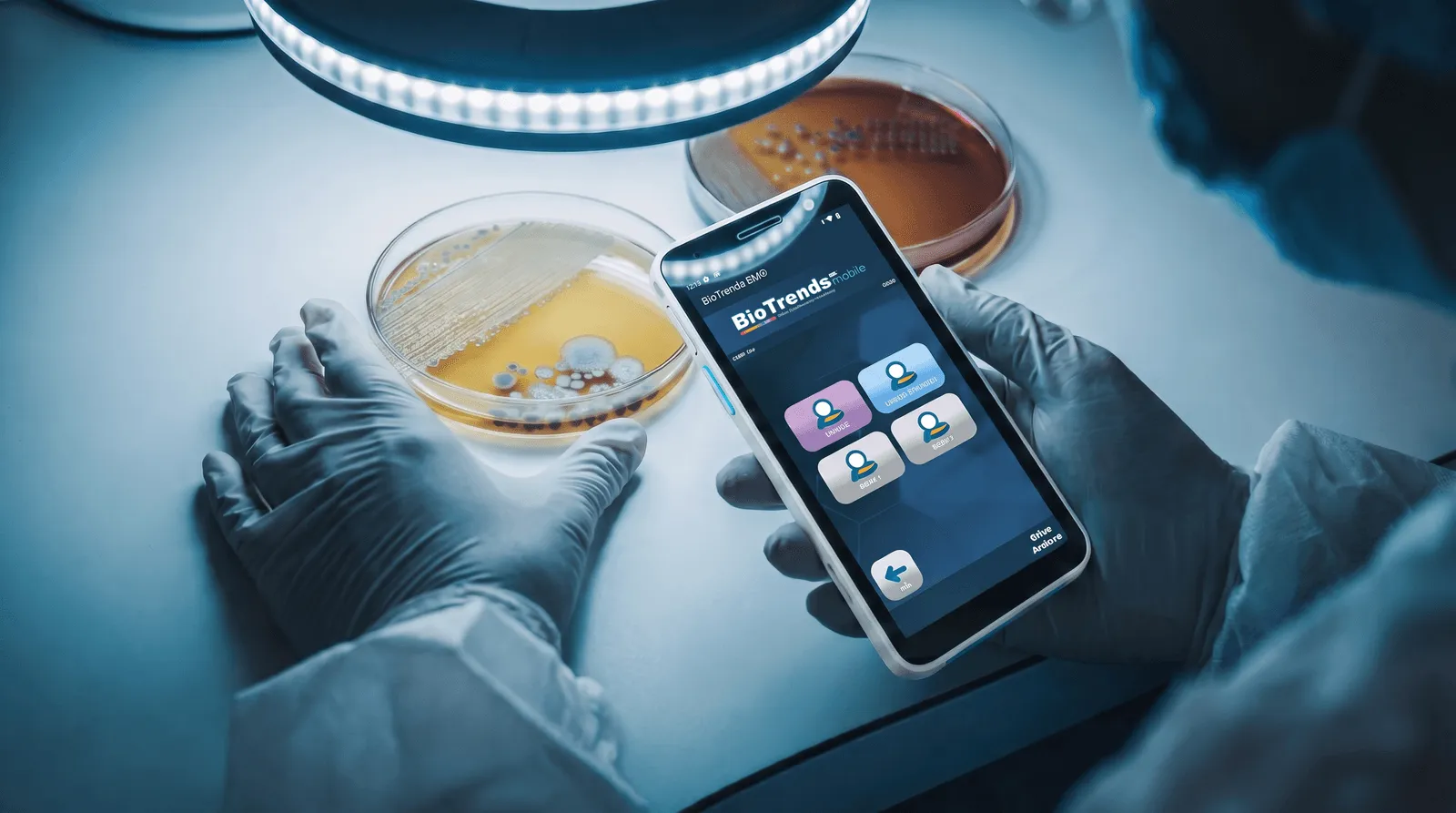
Record colony counts against the sampled point and compare results with its configured alert and action thresholds. Link microbial identification results to the original sample, preserving the context needed for review and trending.

The BioTrends EM Mobile reading screen beside a plate: the two counts and their total, against the sampled point
05

Result Verification & Review

Make independent checks part of your process.
APPROVED

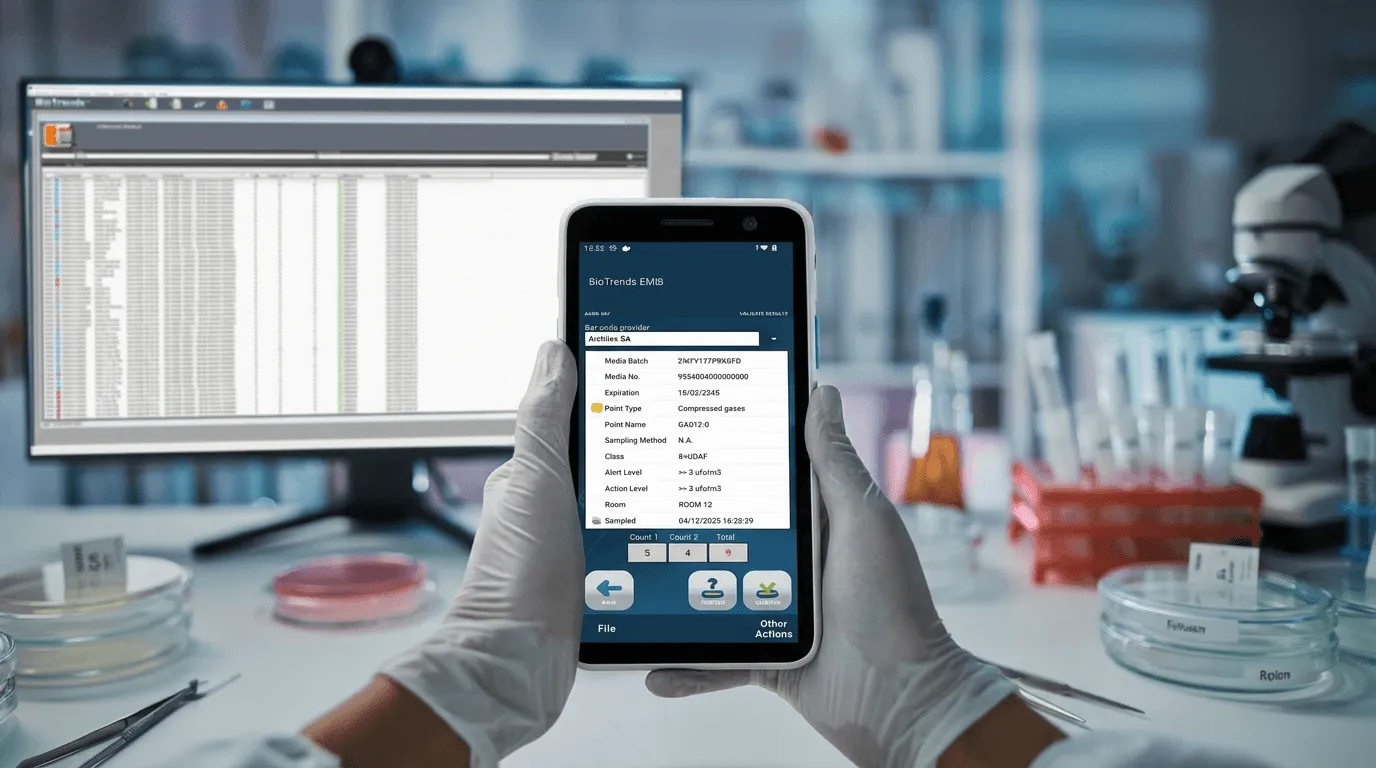
Configure CFU count verification by a different operator and manage discrepancies through the recount workflow. Close sessions with an electronic signature and apply an additional approval signature where required by your procedures.

The detail of a sampled point on the PDA — media batch, class, alert and action levels — with the Core system on the screen behind
06

Reporting

Bring the evidence together.
PDF

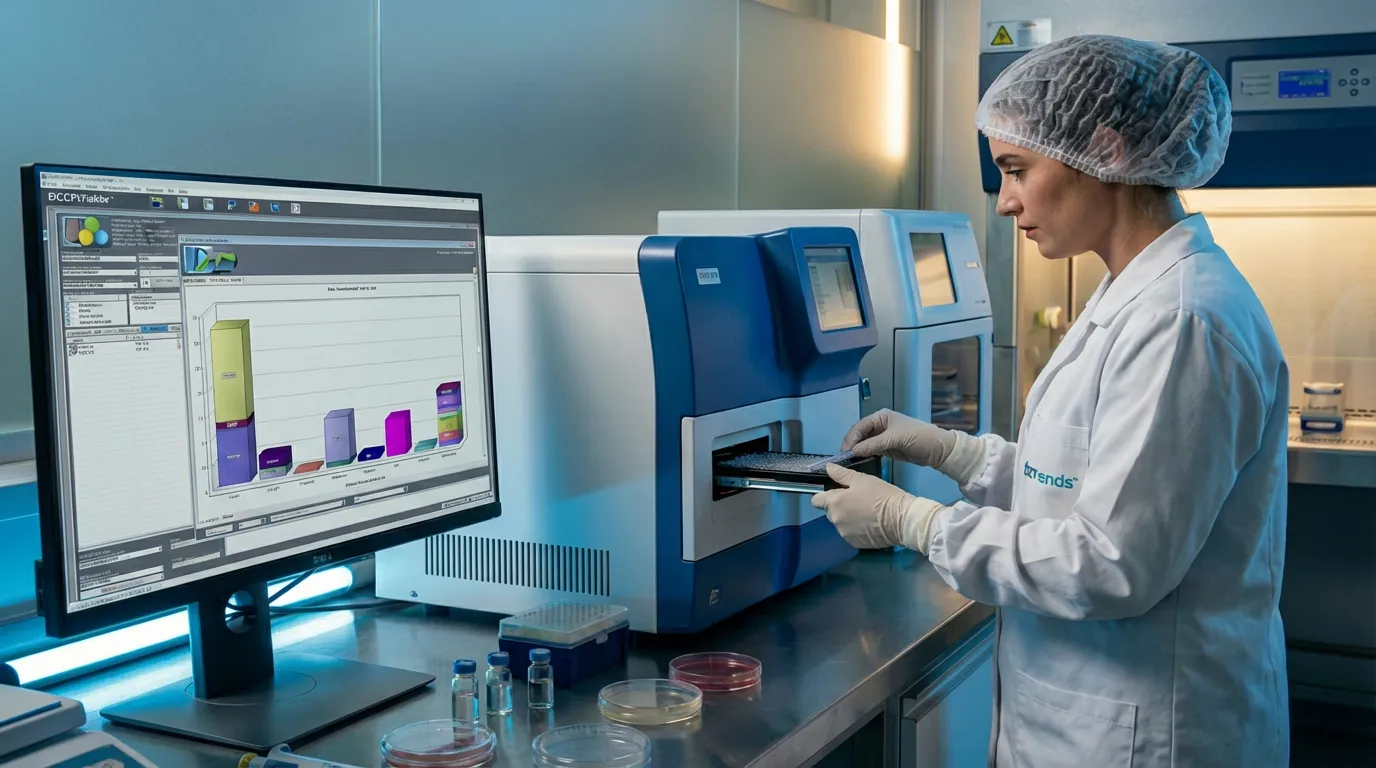
Generate reports for selected monitoring data and production batches. Combine environmental and personnel results, deviations, microorganism identifications, session status and audit-trail information to support quality review.

A laboratory technician loading a tray into an analyser, with result statistics on the screen beside
07

Trend analysis

See beyond individual results.
ALERT

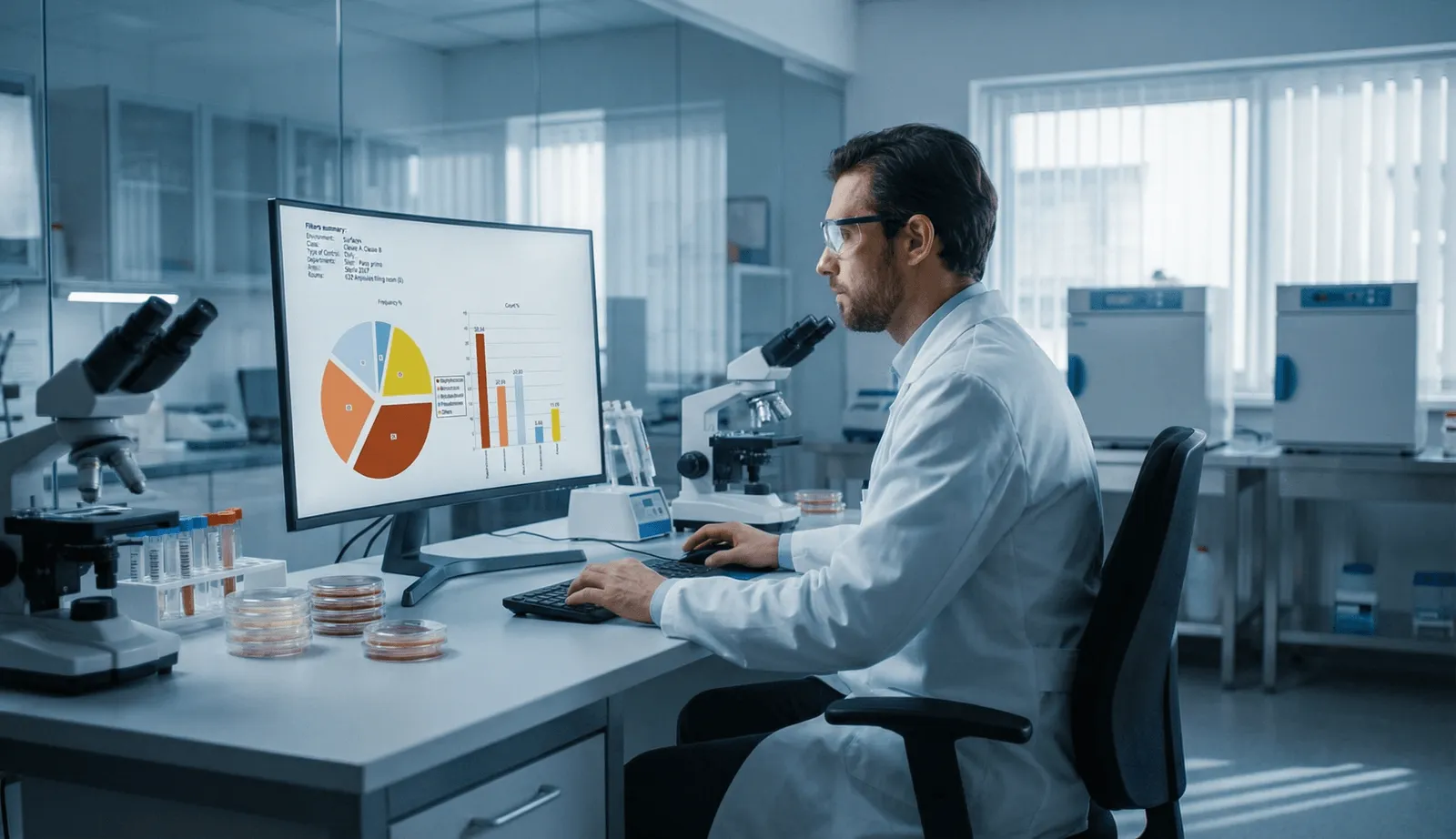
Explore results over time, compare monitoring points and examine microorganism distributions. Use statistical tools to calculate suggested alert and action thresholds, while keeping the decision to adopt new limits under your control.

Result and identification statistics on the Core system: frequency by microorganism for a selected class and area

On the floor

Mobile in the field. Connected to the laboratory.

BioTrends EM® combines a Windows-based Core application with Android mobile workflows and a central SQL Server database.
Operators capture data at the point of activity. Laboratory teams manage incubation and results.
Authorized reviewers access the records needed to evaluate, sign and report the work.
Online and offline operating modes support different connectivity conditions.
Corporate authentication options include LDAP and LDAPS, with support for multiple LDAP hosts.
BioTrends EM Mobile runs on a rugged Android PDA with a 2D scanner.

Corporate directory

LDAP · LDAPS

  • host 1
  • host 2
  • host 3

Sign-in on PDA and Core

0 waiting

Android PDA

Operators capture data at the point of activity

SQL Server

One central database

Core · Windows

Laboratory teams manage incubation and results

Reviewers evaluate, sign and report

The PDA syncs with the database continuously.Records stay on the PDA until the operator syncs.

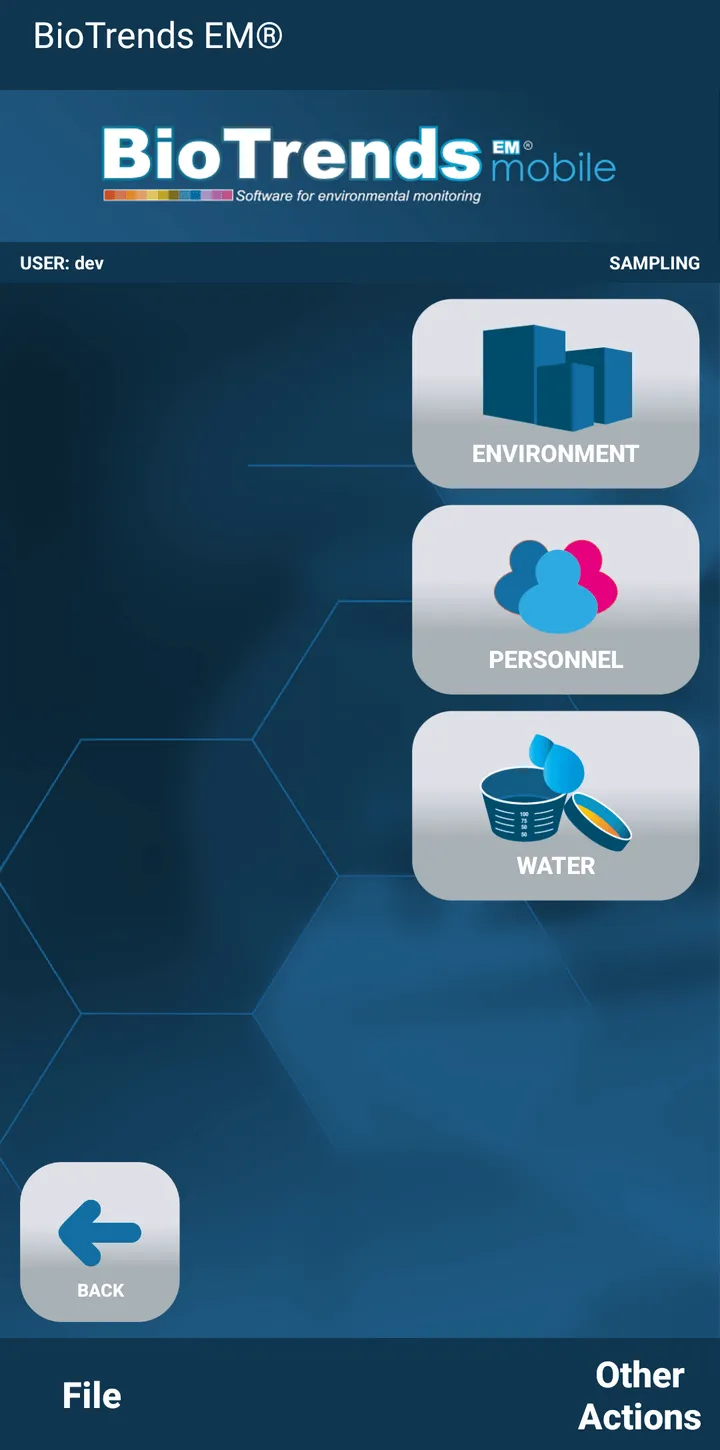
BioTrends EM Mobile: the sampling menu, with Environment, Personnel and Water

BioTrends EM Mobile

Guided activities on Android handheld devices.

01

Sign-in

Store credentials on an NFC tag or bracelet to fill in the login fields. The interface is available in Italian, English, French, German and Spanish.

02

Sampling

Scan barcodes and DataMatrix codes to identify points, rooms, plates, media, devices, containers and personnel. Environmental, personnel and water sampling start from the same menu.

03

Incubation

Take plates in charge individually or in closed transfer containers. Changes to incubation hours and temperatures are recorded in the audit trail.

04

Reading

Record colony counts against the sampled point. Results that exceed the configured alert and action limits are flagged during data entry.

05

Verification and synchronization

Where enabled, a second operator verifies the count on the PDA. In online mode the device is synchronized regularly. In offline mode the operator reconnects and starts the synchronization.

Compliance support

Ready before the inspector asks.

An inspection comes down to questions about who did what, and when. In BioTrends EM the answers are already part of the record.

  1. 01 / 04

    Who approved this sampling plan?

    A second user — never the one who wrote it — with an electronic signature and an effective date. Until then the plan cannot generate a single session.

  2. 02 / 04

    Who counted this plate, and who checked the count?

    The operator who read it, and a different operator who counted it again. The system enforces the difference; it does not simply expect it.

  3. 03 / 04

    Was anything changed afterwards?

    Changes are recorded in the audit trail with who made them and when, listed by event type — result changes, incubation hours and temperatures, media replaced.

  4. 04 / 04

    Could this report have been edited before it reached you?

    No. Reports are generated from signed sessions in PDF and XPS; they can be filed and classified, but not modified.

Developed to support FDA 21 CFR Part 11. It supports your compliant procedures and data integrity; it does not replace your validation or your regulatory responsibility.

Talk to our specialists

The platform

Core and Mobile
one connected system.

BioTrends EM® combines a Windows-based Core application, Android mobile workflows and a central Microsoft SQL Server database, connecting field activities with laboratory operations and quality review.

Windows Core

Manage site structure, sampling plans, schedules, results and quality review from a central application. Deploy the system on a physical or virtual company server, with access from multiple client PCs.

Android Mobile

Guide operators through sampling, incubation and reading on supported Android PDAs with integrated 2D scanners. Continue supported activities offline, then reconnect and initiate synchronization with the central database.

Corporate authentication

Integrate user authentication with LDAP or LDAPS, including support for multiple LDAP hosts. Configured roles and permissions control access to functions and authorized activities.

Instrument integration

Import data from supported MAS-100 air samplers and microbial identification systems, including MALDI-TOF. Other instruments can be integrated through compatible CSV, XLS or similar exports, linking results to BioTrends sampling records.

The shift

From paper records to connected data.

BioTrends EM® reduces manual transcription and brings monitoring records together, making laboratory work easier to review and trace.

ON PAPER
  • Results written by hand and entered again later
  • Plans, results and signatures stored separately
  • Activity histories assembled from multiple records
  • Results require manual checks against applicable limits
WITH BIOTRENDS EM
  • Mobile data capture reduces manual transcription
  • Plans, results and e-signatures connected in one system
  • Linked records and audit trails support review and traceability
  • Results checked against configured alert and action limits

Who it's for

Supporting Laboratory teams and QA.

Sampling & Laboratory Operators

Follow guided activities on the PDA, from sampling and incubation to colony counting, with data captured where the work happens.

QC Microbiology & Laboratory Managers

Coordinate monitoring activities, review results and investigate trends across sampling points, areas and production batches.

QA Reviewers & Managers

Review monitoring evidence, apply electronic signatures and access traceable records to support quality oversight and inspection readiness.

See BioTrends EM in action.

Discover how BioTrends EM can support your monitoring activities, laboratory workflows and quality review.